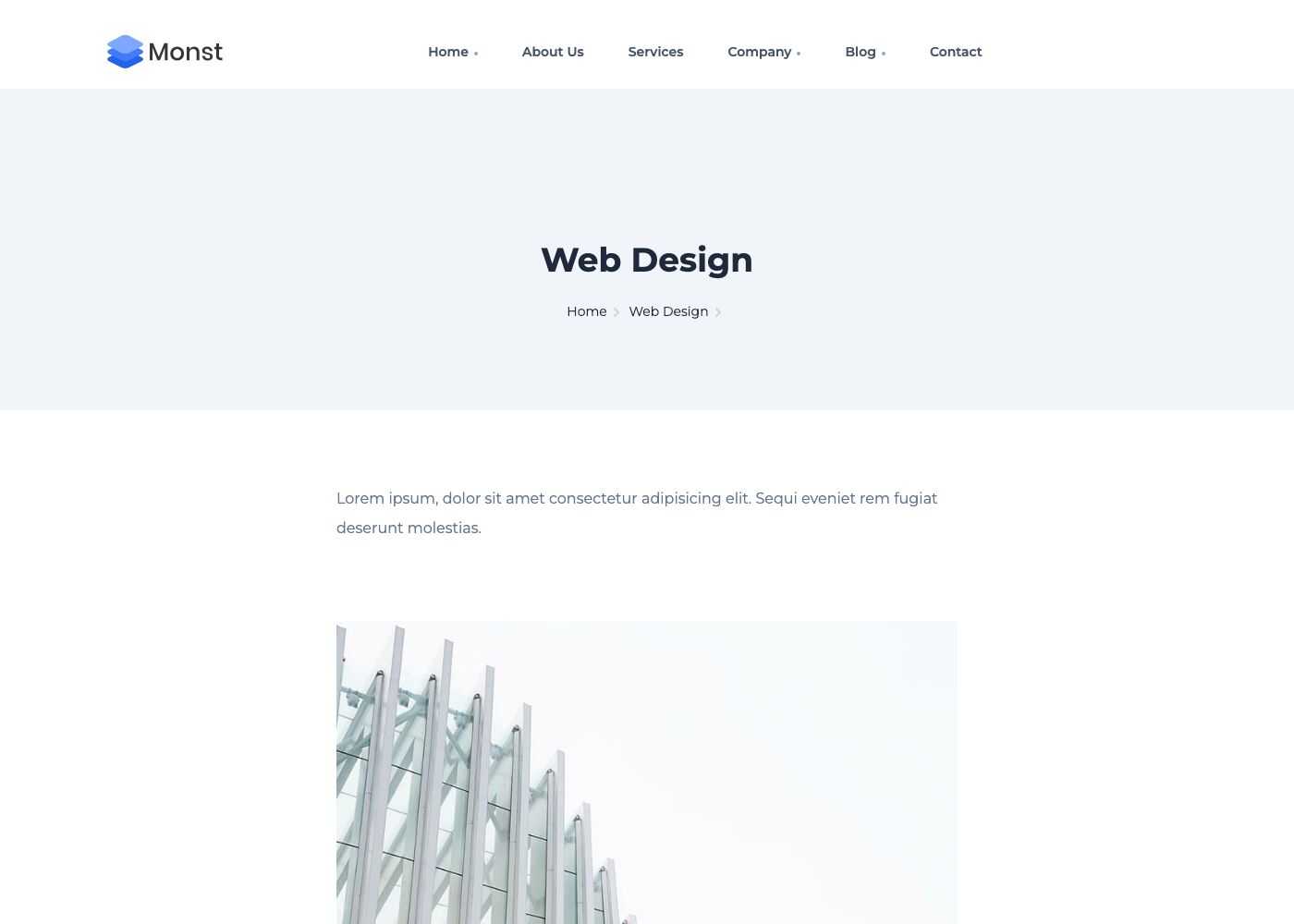
Projects
Projects are the items of your portfolio. Each project has its own page and can be shown as a card by the Block - Projects shortcode.
Manage projects
Go to Admin -> Projects.
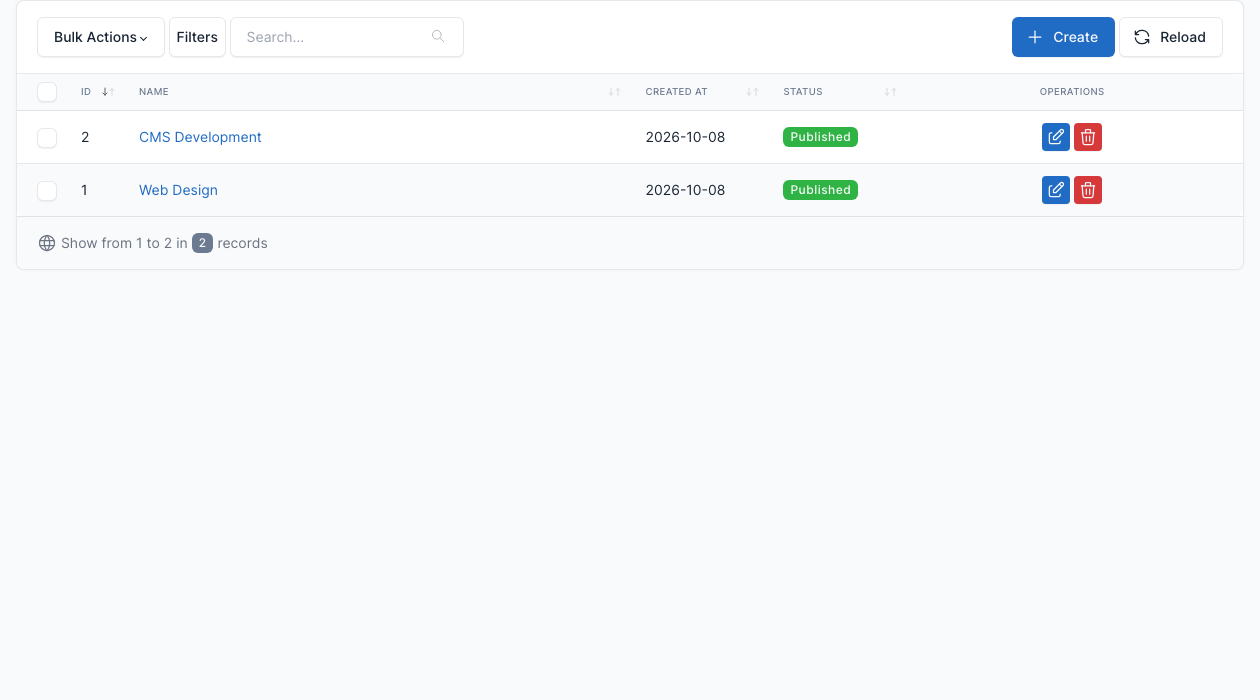
Click Create to add a project, or the edit button of a row to change one. The demo has two projects, Web Design and CMS Development.
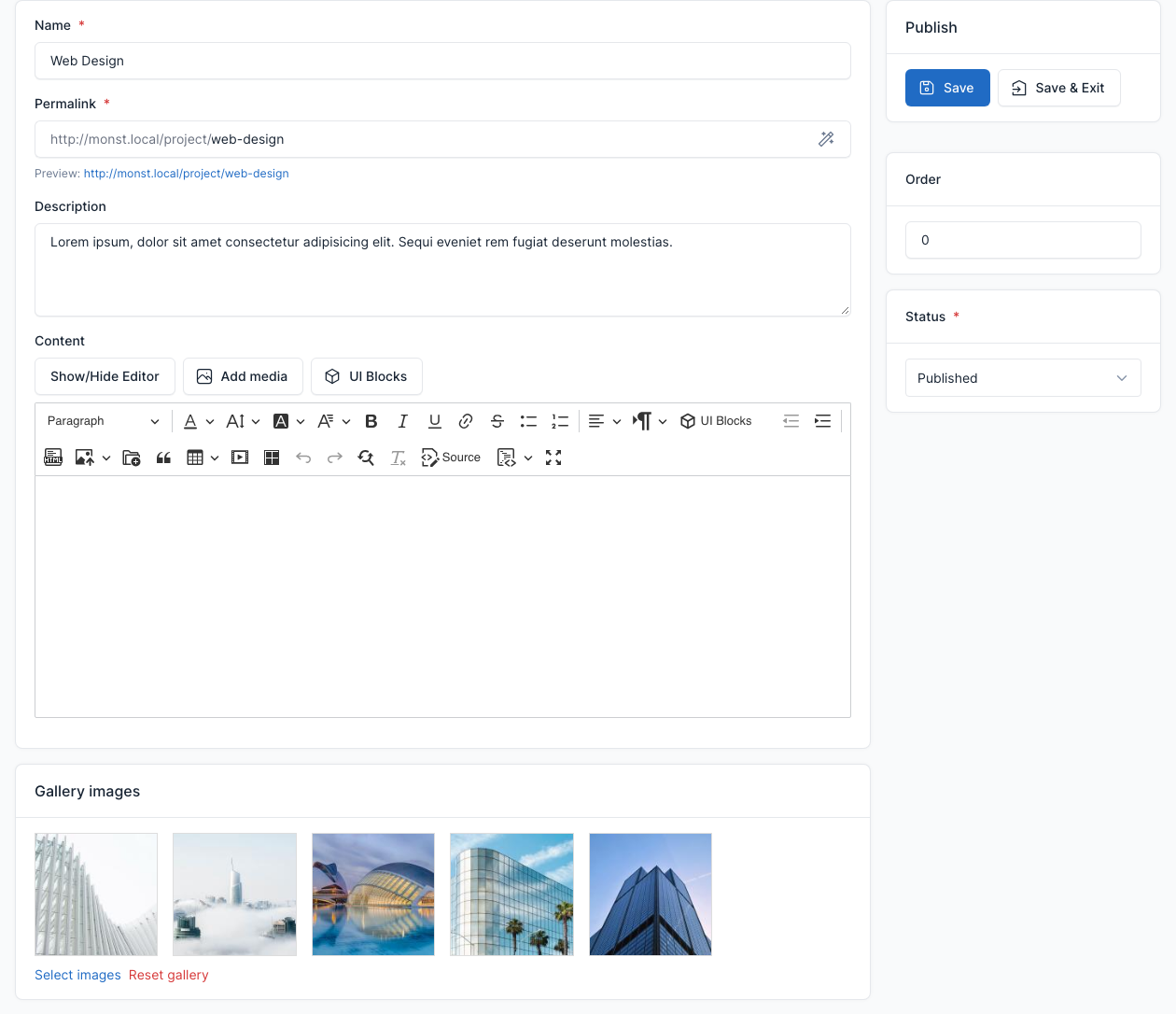
| Field | What it does |
|---|---|
| Name | The title of the project card and of the project page. |
| Permalink | The address of the project page, for example /project/web-design. |
| Description | The short text shown next to the pictures in the Projects block. |
| Content | The body of the project page. The editor has the UI Blocks button, so you can add shortcodes. |
| Gallery images | The pictures shown with the project in the Projects block and on the project page. |
| Order, Status | The sort order and whether the project is published. |
Show projects on a page
Add the Block - Projects shortcode to a page and pick the projects in its Projects field. The demo PortFolio page does this. See Short code.
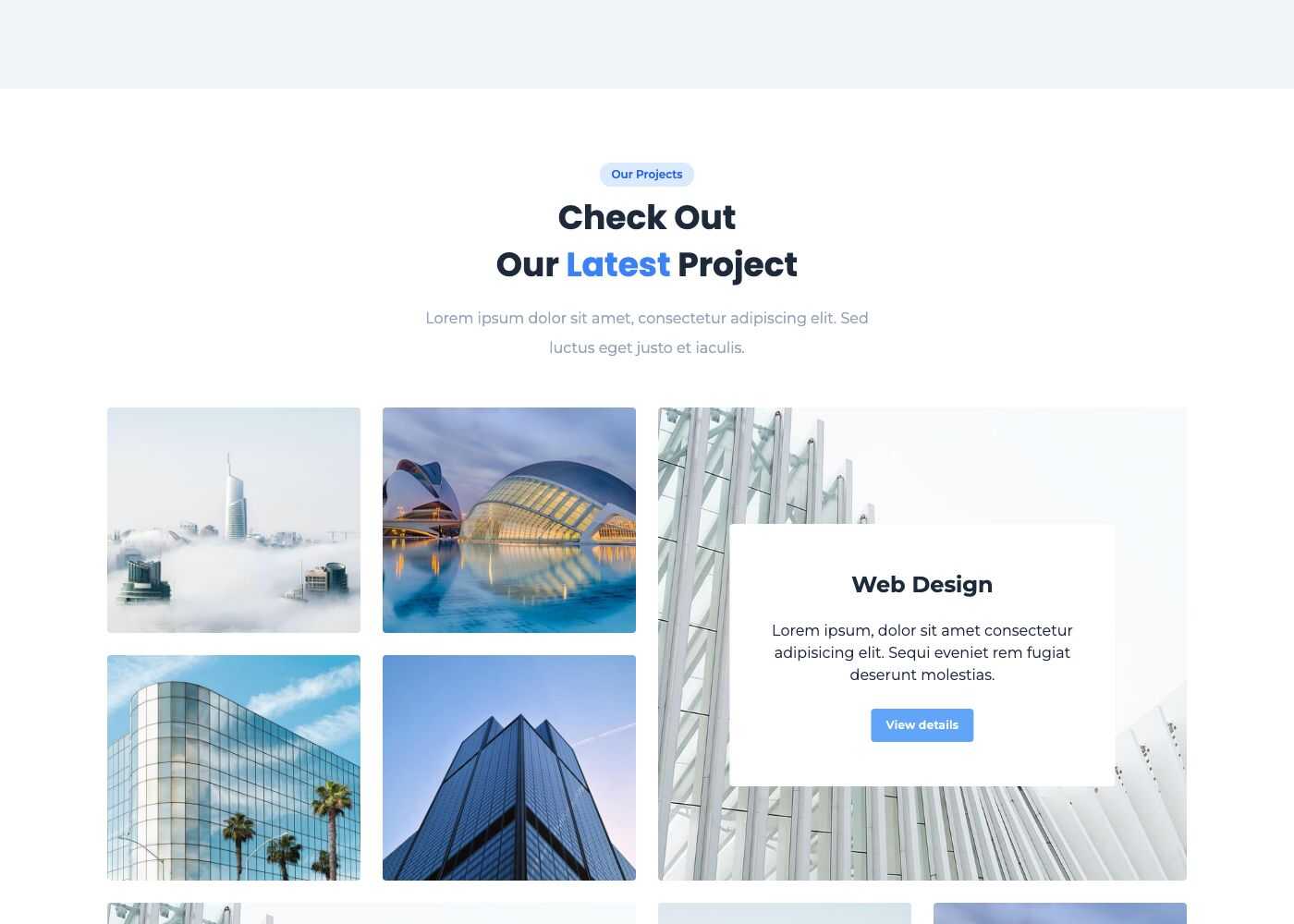
Each card links to the project page: