Backup
This plugin is used to back up your website. It backs up the uploaded files and the database, not the full source code.
The backup plugin only works with MySQL. It uses the mysql command to dump and restore SQL, so the PHP functions proc_open() or system() must be enabled on your server.
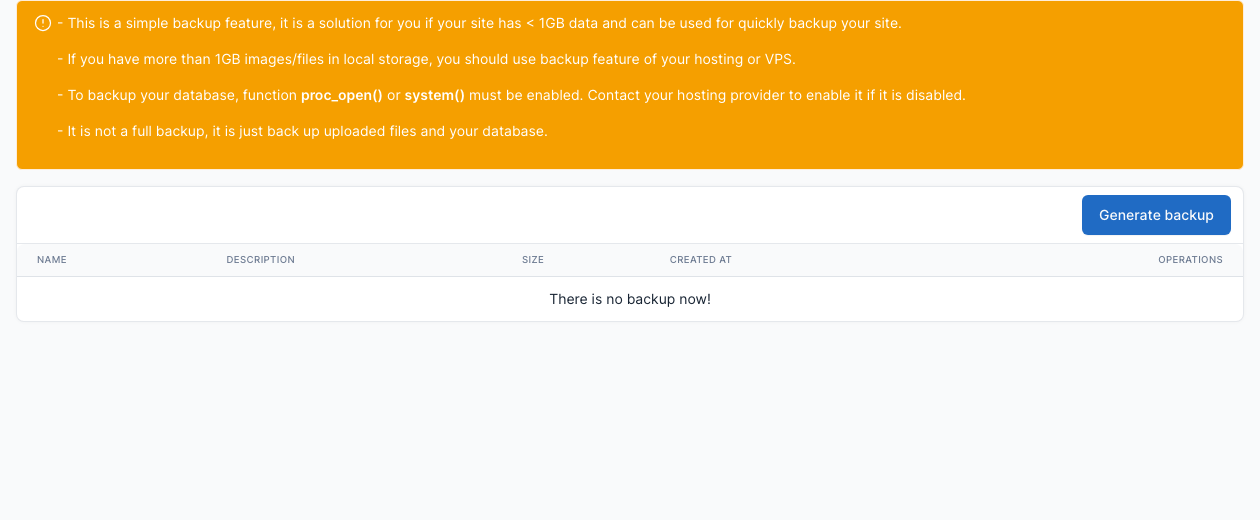
Go to Admin -> Platform Administration -> Backups to manage backups: click Generate backup to create one, and use the buttons of a backup to download, restore or delete it.
TIP
This simple backup is made for small sites (less than 1GB of data). For a bigger site, use the backups of your hosting or VPS provider too.
Commands
You can use commands on your localhost or on VPS to quickly manage backups.
- Create a backup.
php artisan cms:backup:create [name of backup]Ex:
php artisan cms:backup:create "Backup latest data" --description="This is a demo backup"- Restore a backup
php artisan cms:backup:restore [backup date][backup date] is an optional param, if you don't provide a backup date, it will restore the latest backup.
Ex:
php artisan cms:backup:restore 2021-05-28 10-05-24- Delete a backup
php artisan cms:backup:remove [backup date]Ex:
php artisan cms:backup:remove 2021-05-28 10-05-24- List all backups:
php artisan cms:backup:list