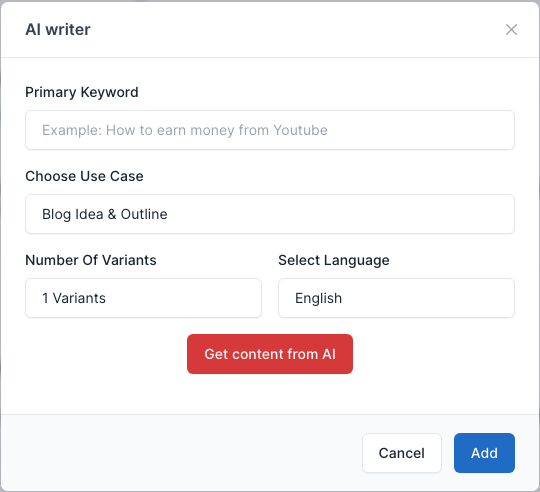
AI - Writer
AiWriter is an AI-powered content writing tool. It uses advanced machine learning algorithms to analyze and understand text, allowing it to generate high-quality, unique content for your website or application. With AiWriter, you can easily create engaging, SEO-friendly content for blog posts, articles, and more, saving you time and effort while improving your online presence. Whether you’re a blogger, a marketer, or a developer, AiWriter is the perfect solution for all your content creation needs.
The plugin comes with Monst and is already active. It needs an OpenAI API key to generate text.
Setting OpenAI API key
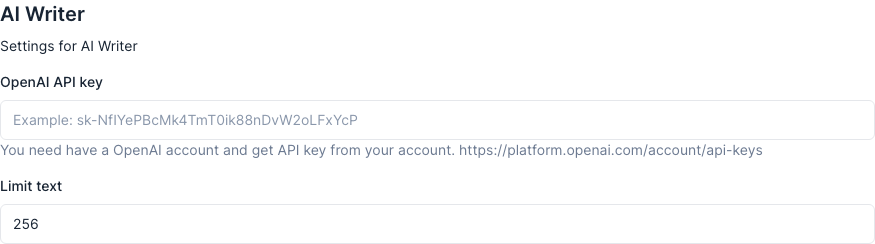
Go to Admin -> Settings -> General and find the AI Writer section.
Paste your key in OpenAI API key and save. Limit text is the maximum length of the generated text (up to 2048).
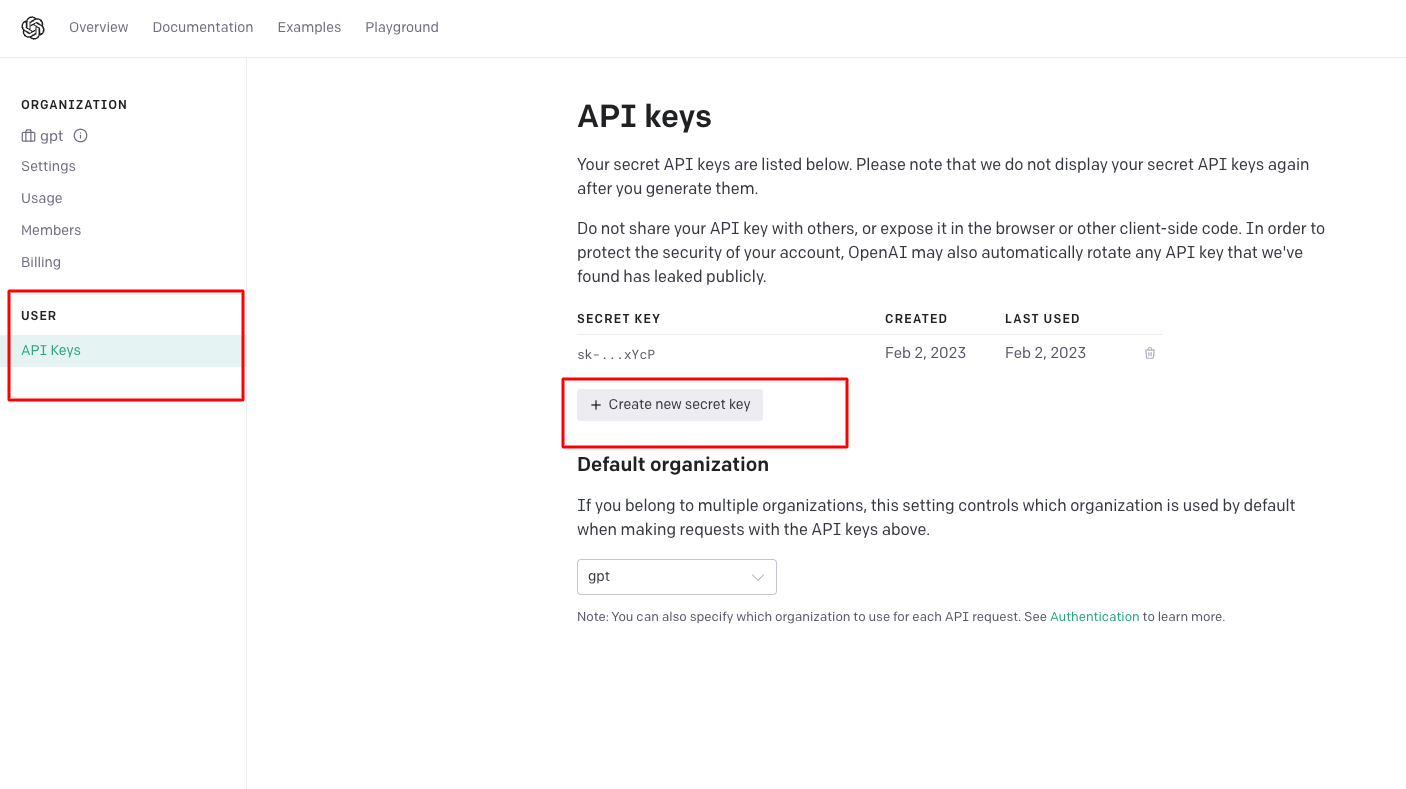
How can I get an OpenAI API key?
- You need to have an OpenAI account.
- Access to the OpenAI account dashboard to generate an API key. https://platform.openai.com/account/api-keys
Use
AiWriter is available as a button in the content editor of a post or a page (it opens as a shortcode window).
- Edit a post or a page and click the AI Writer button above the editor.

- Fill the Primary Keyword, choose a Use Case (for example Blog Idea & Outline), the number of variants and the language.
- Click Get content from AI. The generated text is inserted into the editor where the cursor is. A keyword is required.