Widgets
Widgets are small blocks you drop into the widget areas of the site: the sidebar of the post and list pages, the side panel, the footer columns and so on.
Go to Admin -> Appearance -> Widgets
On the left are the Available Widgets. On the right are the Widget Areas. Drag a widget into an area (or click the + button of the widget and choose an area), then open it with the arrow to fill in its fields and click Save. To remove a widget, open it and click Delete.
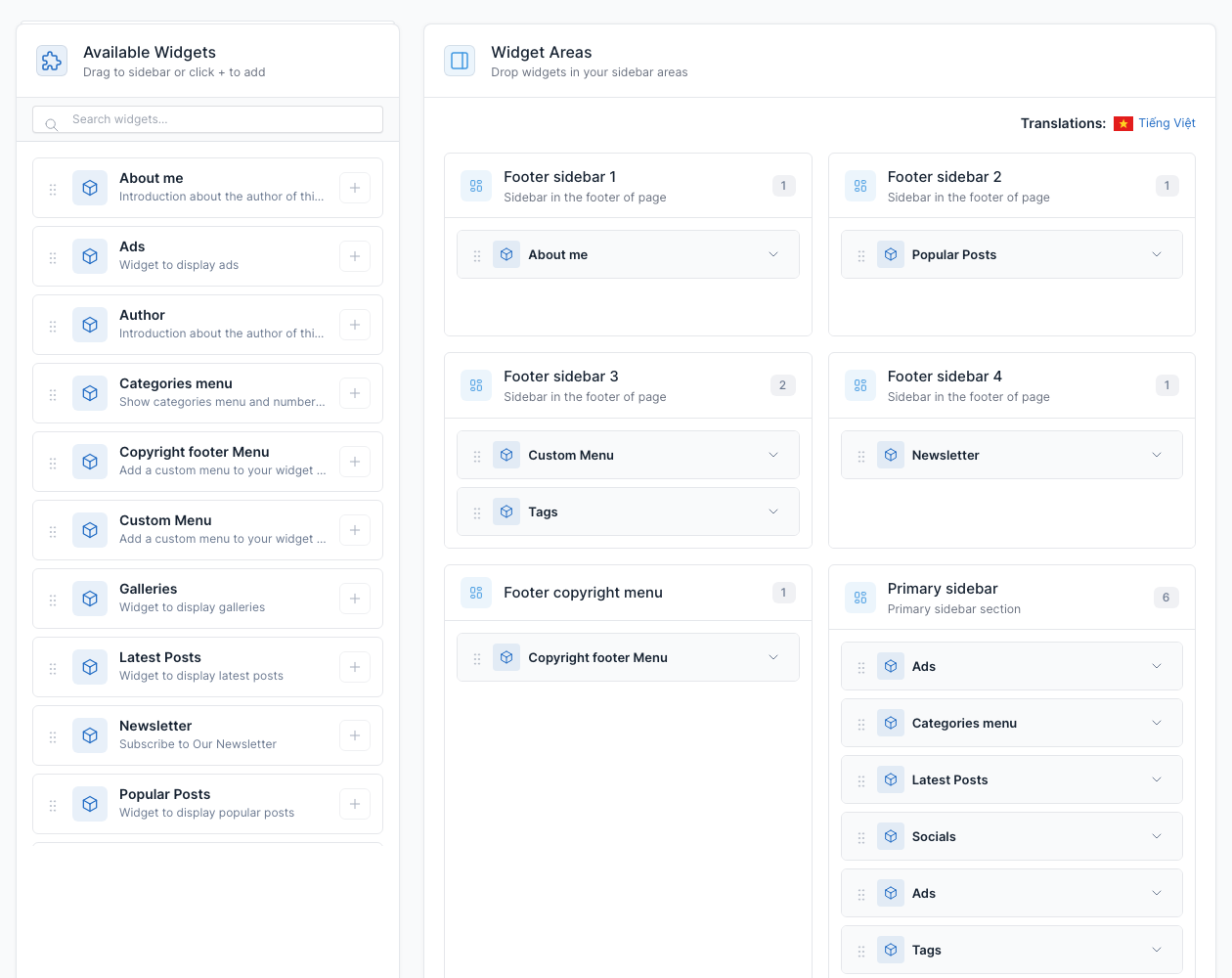
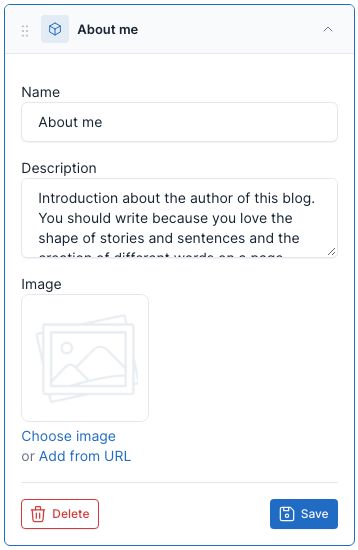
Click a widget in an area to open its settings:
When the site has more than one language, each language has its own widgets. See Translate.
Widget areas
| Area | Where it shows | Demo content |
|---|---|---|
Primary sidebar (primary_sidebar) | The right column of post pages, of the post lists with the List or Grid layout, of the search results and of pages that use the Right sidebar template. The same widgets fill the side panel of the All Sections button (see Header). | Ads, Categories menu, Latest Posts, Socials, Tags and a second Ads |
Footer sidebar 1 to 4 (footer_sidebar_1 to footer_sidebar_4) | The four columns at the top of the footer. | About me, Popular Posts, Custom Menu with Tags, Newsletter |
Footer copyright menu (footer_copyright_menu) | The links at the bottom right of the footer, next to the copyright line. | 1 Copyright footer Menu widget |
The primary sidebar on a post page:
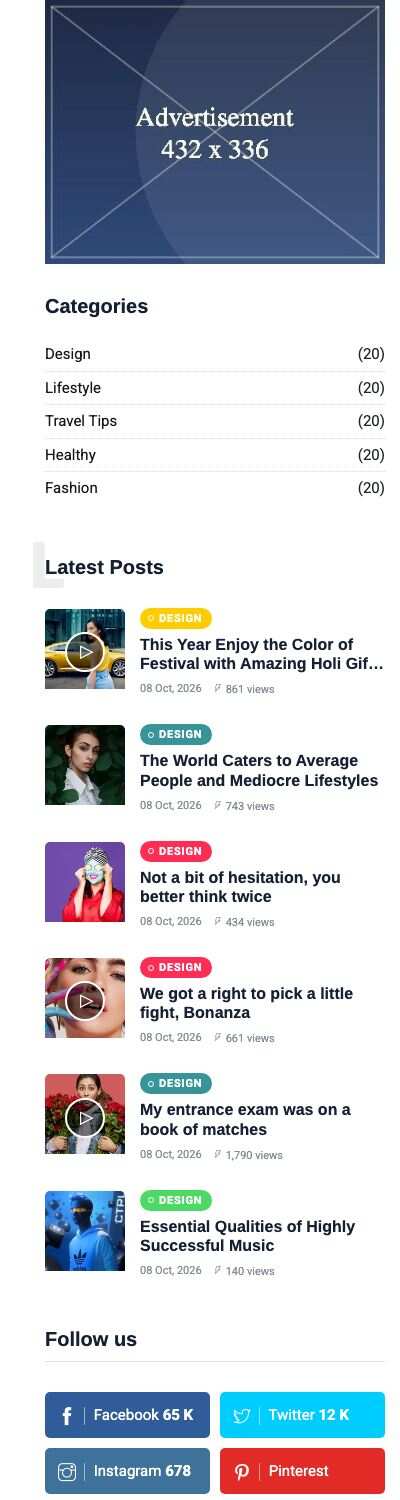
The footer columns and the copyright menu are shown in Footer.
Available widgets
UltraNews adds 12 widgets. The CMS core adds two more: Text (free text or HTML) and Simple Menu.
| Widget | What it shows | Fields |
|---|---|---|
| About me | A title, a text you enter, and the address and phone of Theme options -> General (shown only when they are filled in). | Name, Description. The Image field is stored but not shown. |
| Ads | An advertisement of the Ads plugin. See Ads. | Ads location |
| Author | A card for the author of the post being read: name, picture, bio and a "Contact me" link to your contact page. It only shows on a post page. | The form has Name, Description and Image, but the card ignores them: it is built from the post's author (edited in Admin -> Members). |
| Categories menu | The most popular categories with their number of posts. | Name, Number categories to display (the default is 5), Custom class for name |
| Copyright footer Menu | A menu shown as the links of the bottom line of the footer. | Name, Select menu |
| Custom Menu | A titled column of links from a menu you choose. | Name, Select menu |
| Galleries | Pictures of the latest galleries (Gallery plugin). | Name, Number gallery to display |
| Latest Posts | The most recent posts as a list with category, date and views. | Name, Number posts to display, Custom class for name |
| Newsletter | A subscribe form that feeds the Newsletter plugin. See Newsletter. | Name, Description |
| Popular Posts | The most viewed posts. | Name, Number posts to display, Custom class for name |
| Socials | Your social links as colored buttons with the follower numbers of Theme options -> Social links. | Title |
| Tags | The most popular tags. | Name, Number tags to display, Custom class for name |
Add a widget to a sidebar
- Open Admin -> Appearance -> Widgets.
- Find the widget in Available Widgets (use the search box if needed).
- Drag it into Primary sidebar, or click the + button and pick the area.
- Open the widget, fill in its fields and click Save.
- Reload the page on the front end to see it.