Menu
Go to Admin -> Appearance -> Menus.
UltraNews has a main menu with a display location (the header) and a Quick links menu that a footer widget shows. The demo list also has two Vietnamese copies, Menu chính and Liên kết: they are the Vietnamese versions of the main menu and Quick links, and the site shows them on the Vietnamese pages (see Translate). All menus are managed on the same screen; the flag columns of the list show which languages each menu has.
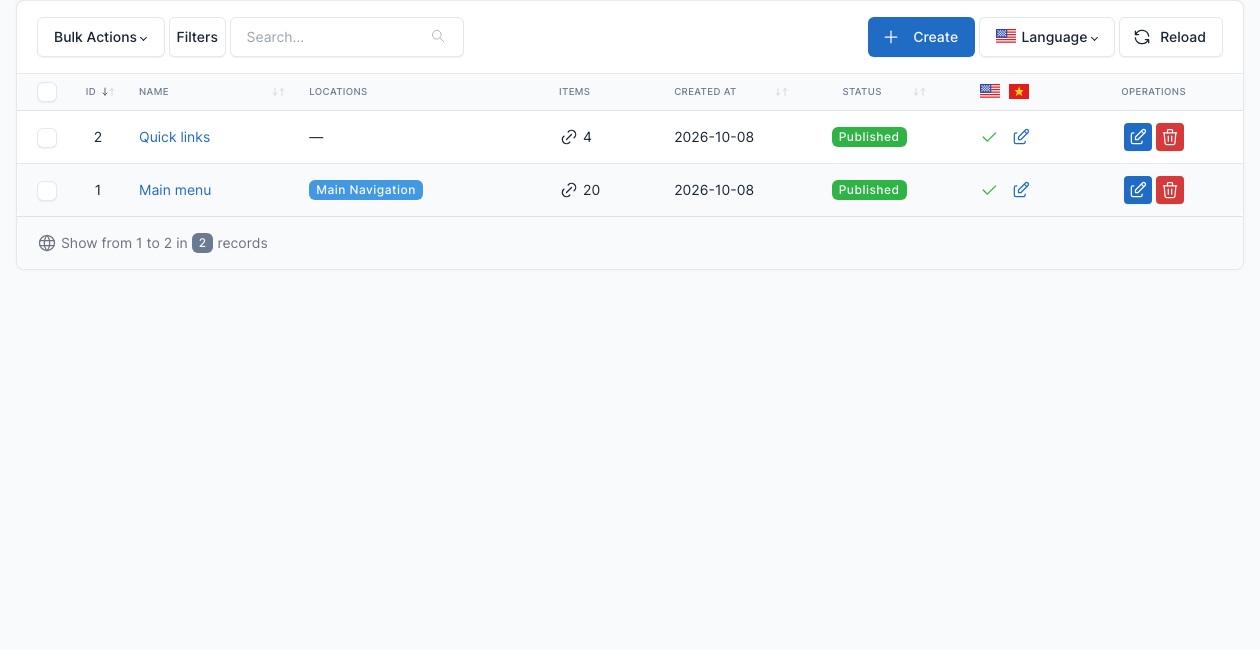
To change a menu, click Edit on its row. Add pages, categories, tags or custom links from the boxes on the left, drag the items to reorder them or to nest them as submenus, then save.
Main menu
The main navigation of the header. The display location is Main Navigation (tab Menu settings at the bottom of the menu editor). The demo menu has Home with the 3 home layouts as submenus, Galleries, Category layouts and Post layouts (each with its 3 variants), About, Contact and Pages.

Go to Admin -> Appearance -> Menus and edit "Main menu".
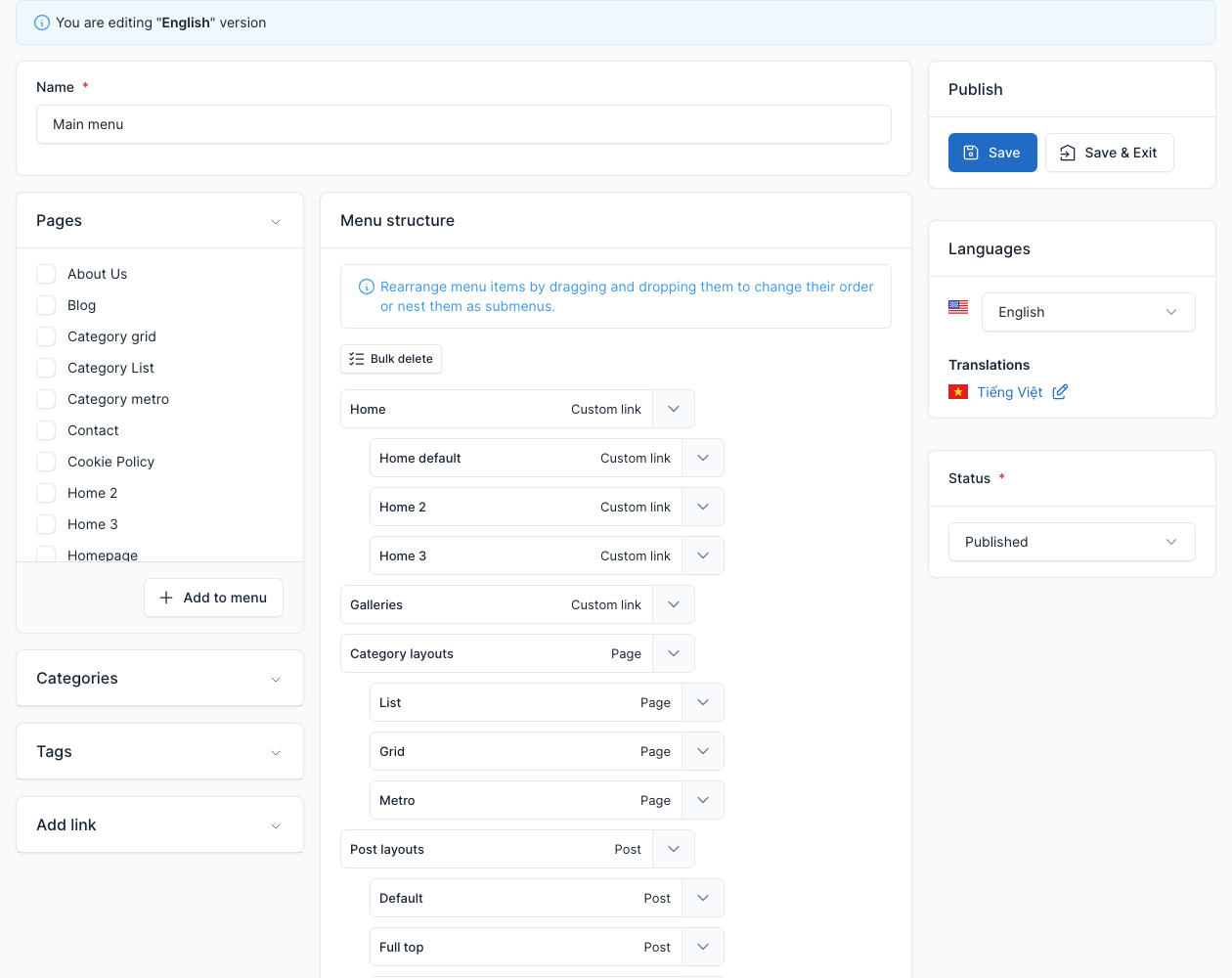
A submenu is shown as a dropdown. On phones the same menu opens from the menu button of the header.
Footer menus
The footer shows menus through widgets, not through a location:
- The column Quick links is a Custom Menu widget that shows the menu Quick links.
- The small links at the very bottom right are the Copyright footer Menu widget of the Footer copyright menu area, which shows a menu you choose.
Go to Admin -> Appearance -> Menus and edit "Quick links".
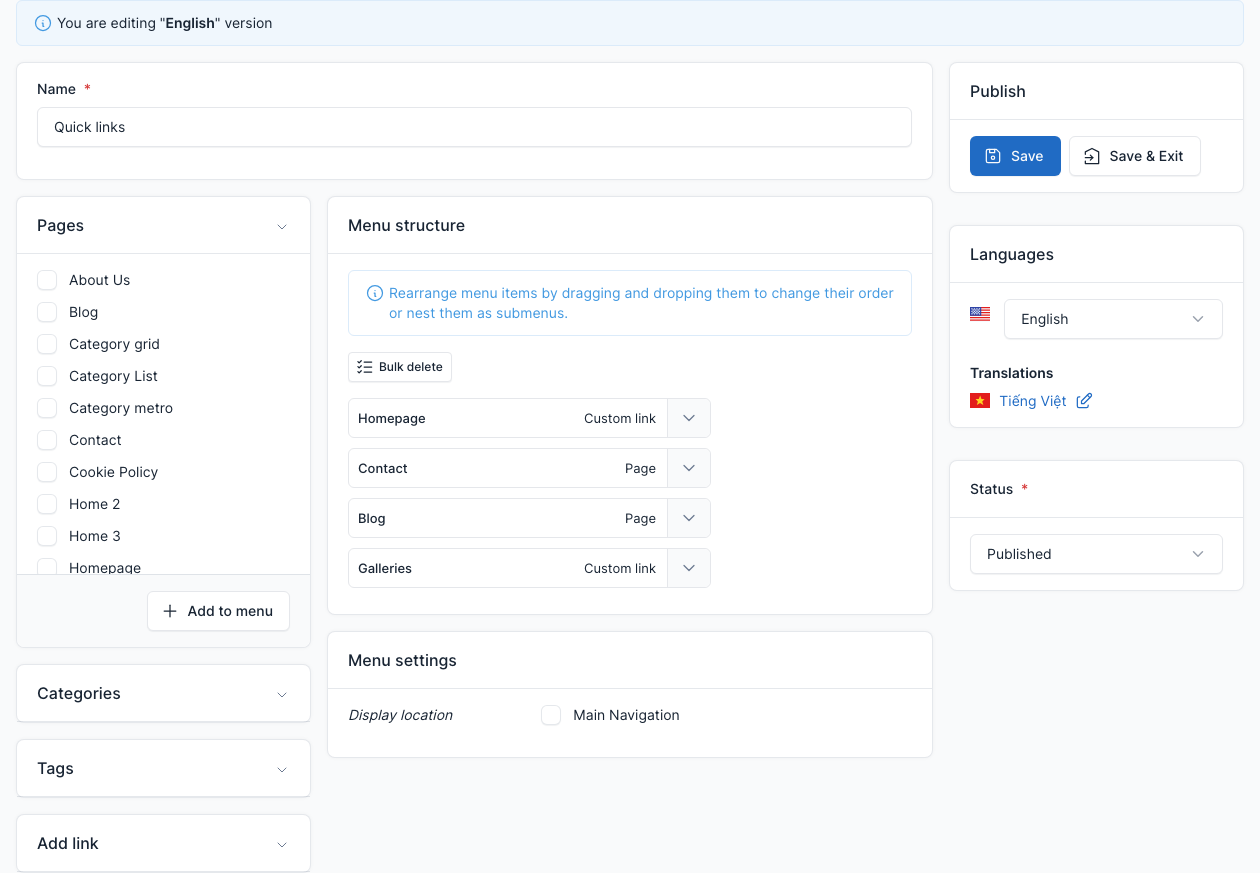
To change which menu a widget shows, or its title, open Admin -> Appearance -> Widgets. See Footer and Widgets.
Menus in another language
When the site has more than one language, each menu can be translated: open the menu and use the Languages box on the right to switch to the other language.
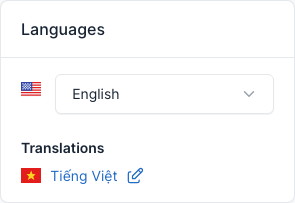
See Translate.