Widgets
Go to Admin -> Appearance -> Widgets.
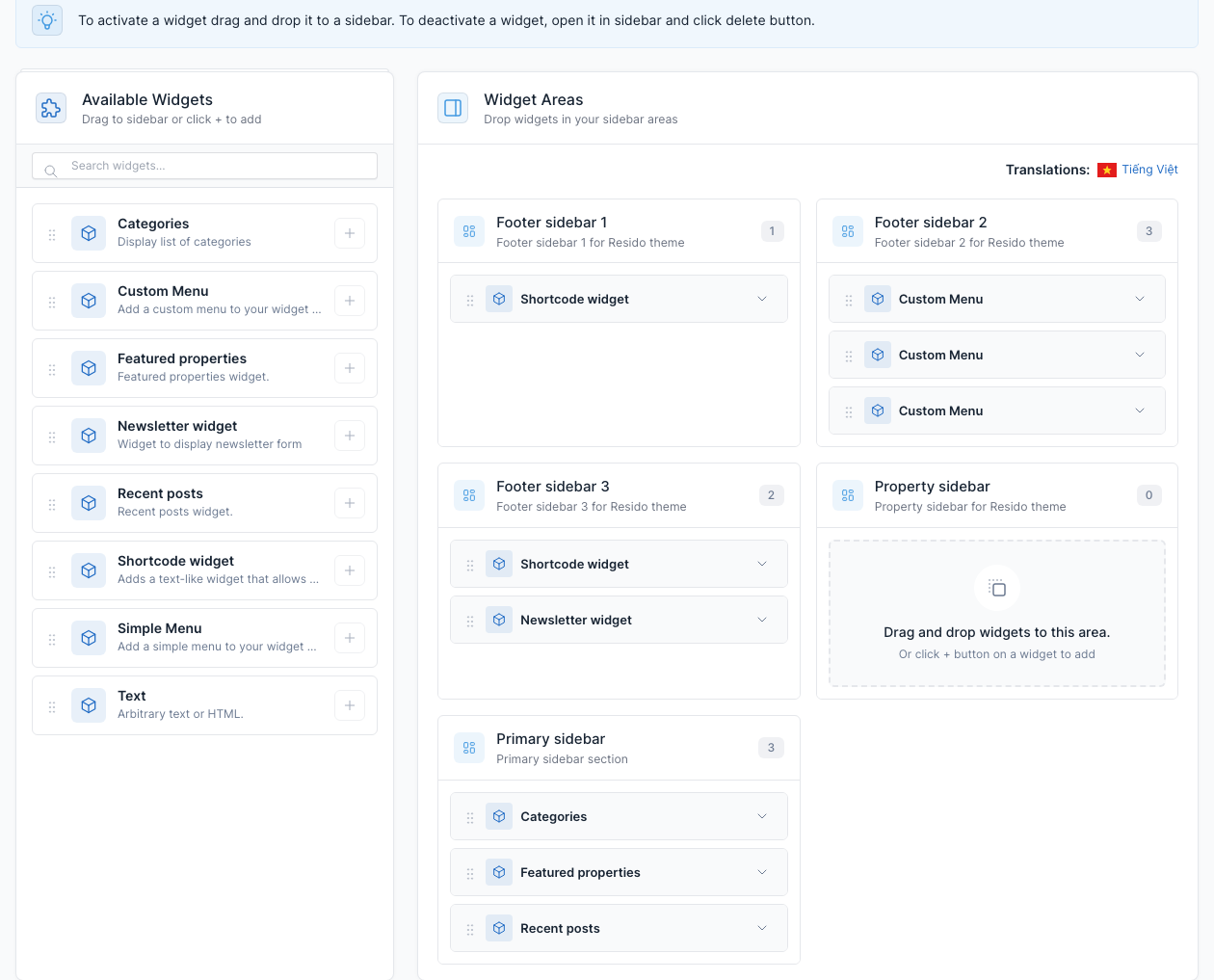
Widgets are small blocks you drag into a widget area. The page lists the available widgets on the left and the widget areas on the right. Drag a widget into an area, open it to set its fields, and it is saved automatically.
Widget areas
| Area | Where it appears | In the demo |
|---|---|---|
| Footer sidebar 1 | The call to action above the footer | Shortcode widget with the Sign up static block |
| Footer sidebar 2 | Menu columns of the footer | 3 Custom Menu widgets |
| Footer sidebar 3 | Right column of the footer | Shortcode widget with the Download App Footer static block, and the Newsletter widget |
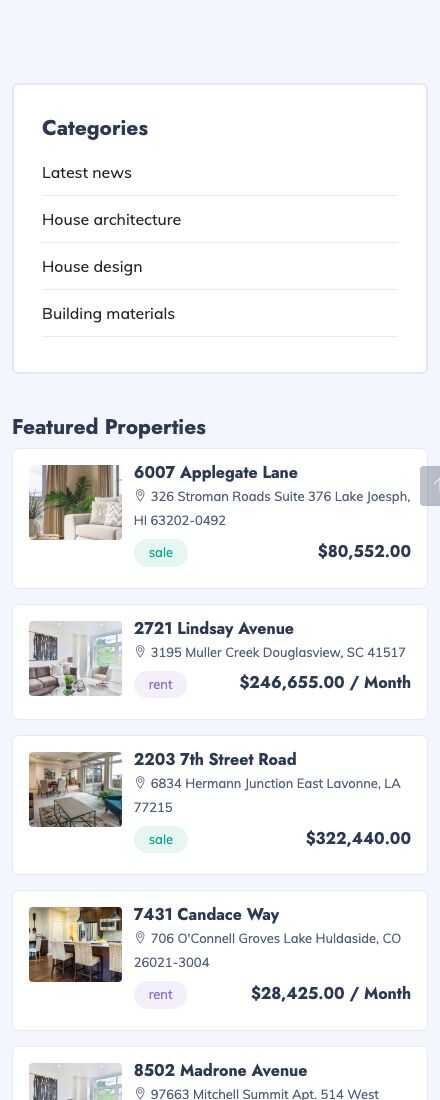
| Primary sidebar | Sidebar of a post, category and tag page | Categories, Recent posts and Featured properties |
| Property sidebar | Sidebar of a property and project page (empty in the demo) | none |
Available widgets
| Widget | What it shows |
|---|---|
| Categories | The list of blog categories. |
| Custom Menu | One menu of Admin -> Appearance -> Menus with a title. |
| Featured properties | The featured properties, with the number to display. |
| Newsletter widget | The subscribe form of the Newsletter plugin. |
| Recent posts | The latest blog posts, with the number to display. |
| Shortcode widget | Any shortcode, for example a static block. |
The blog sidebar of the demo:
When the site has more than one language, each language has its own widgets. Use the Translations link at the top of the Widget Areas to edit the other language. See Translate.