Real estate settings
Go to Admin -> Settings -> Real Estate.
The settings are split in six tabs. Click Save settings at the bottom of a tab to save it.
General
Tab General.
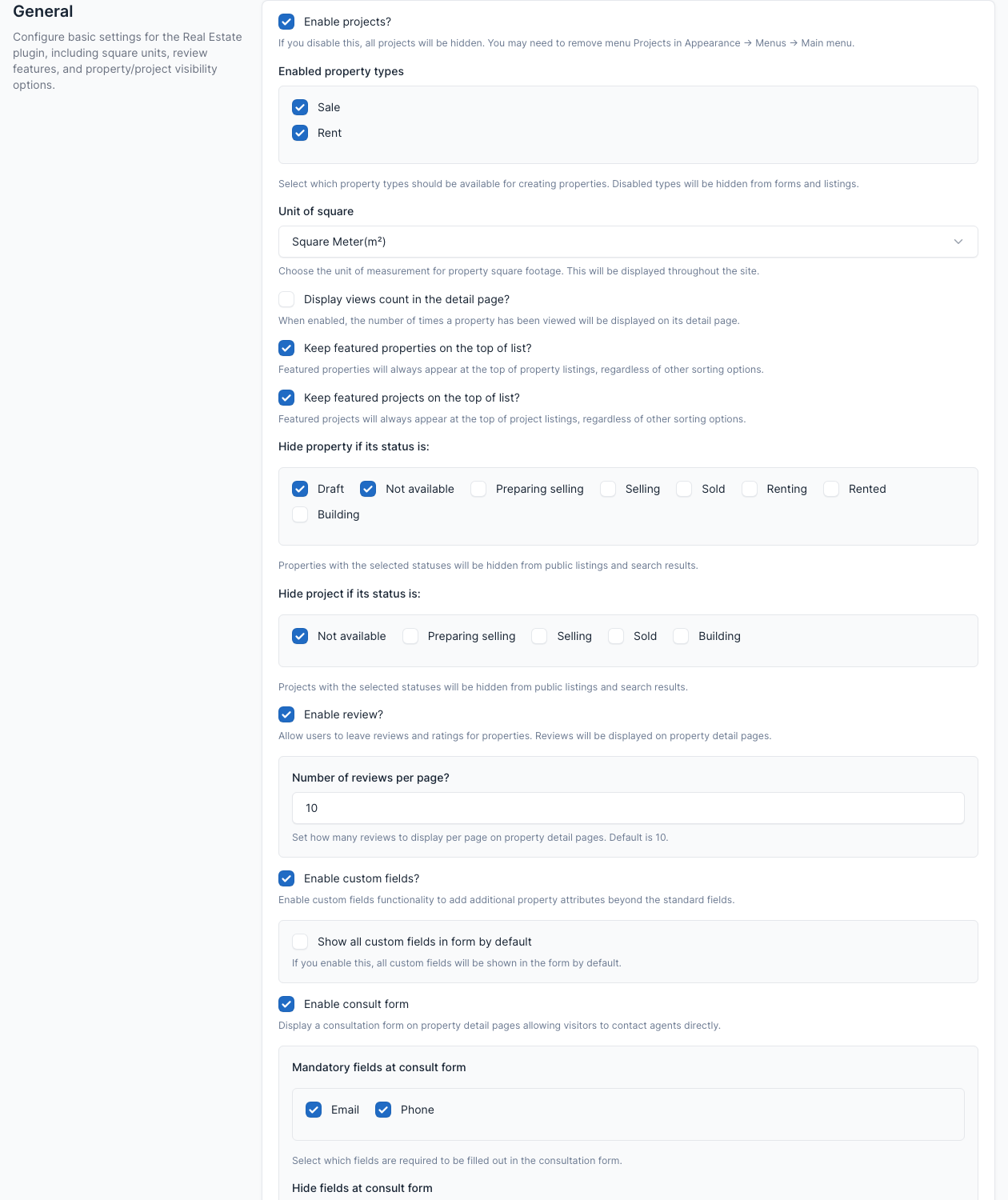
| Setting | What it does |
|---|---|
| Enable projects? | Turns the projects off on the site. Remove the Projects item from the main menu too. |
| Enabled property types | Sale and Rent. A type that is off is hidden from the forms and the listings. |
| Unit of square | Square meter, square feet or square yard. |
| Display views count in the detail page? | Shows how many times a property was viewed. |
| Keep featured properties / projects on the top of list? | Featured items stay first whatever the sorting is. |
| Hide property if its status is / Hide project if its status is | Items with the ticked statuses are hidden from the public lists and the search. |
| Enable review? and Number of reviews per page? | Lets signed-in visitors review a property. |
| Enable custom fields? and Show all custom fields in form by default | See Custom fields. |
| Enable consult form | The question form on a property or project page, with mandatory and hidden fields (Email, Phone). |
| Auto generate Unique ID when creating property/project | Creates an ID for each new item with the format you set. |
| Fixed maximum price for filter | Uses a fixed top value in the price filter instead of the highest price of your data. |
| Enable auto-renew option for properties | Properties renew by themselves before they expire. It needs the cron job and enough credits. |
| Days before expiry to renew properties | When the automatic renewal starts (0 renews after the expiry). |
| Enable zip code (postal code) | Adds a zip code field to properties and projects. |
| Hide property and project prices | Hides every price on the public pages. |
Currencies
Tab Currencies.
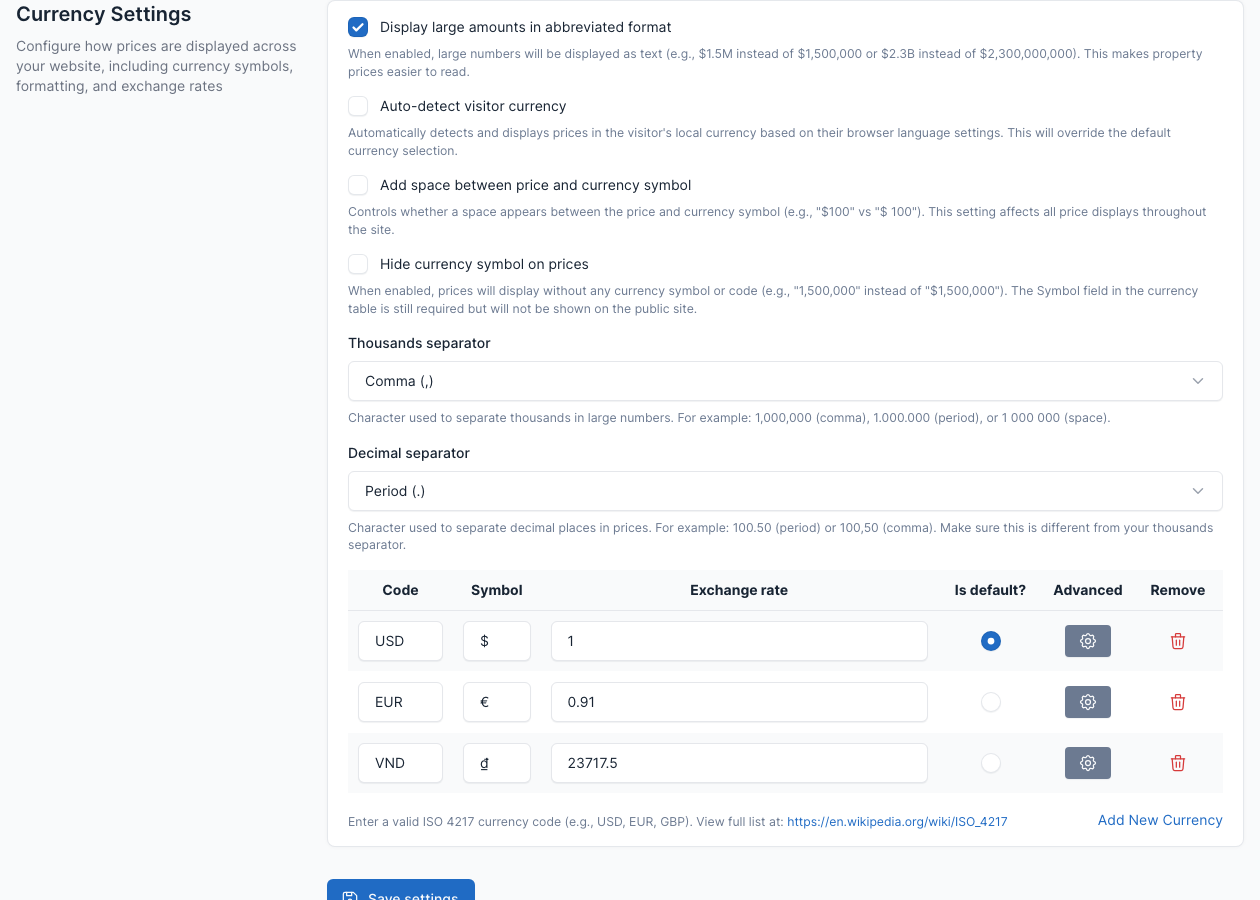
Choose how prices are written: abbreviated amounts ($1.5M), automatic currency by the visitor's browser language, a space between price and symbol, hiding the symbol, and the thousands and decimal separators. The table lists the currencies with their code, symbol and exchange rate; one is the default. Click Add New Currency to add one. Visitors switch currency with the currency switcher of the header.
Accounts
Tab Accounts.
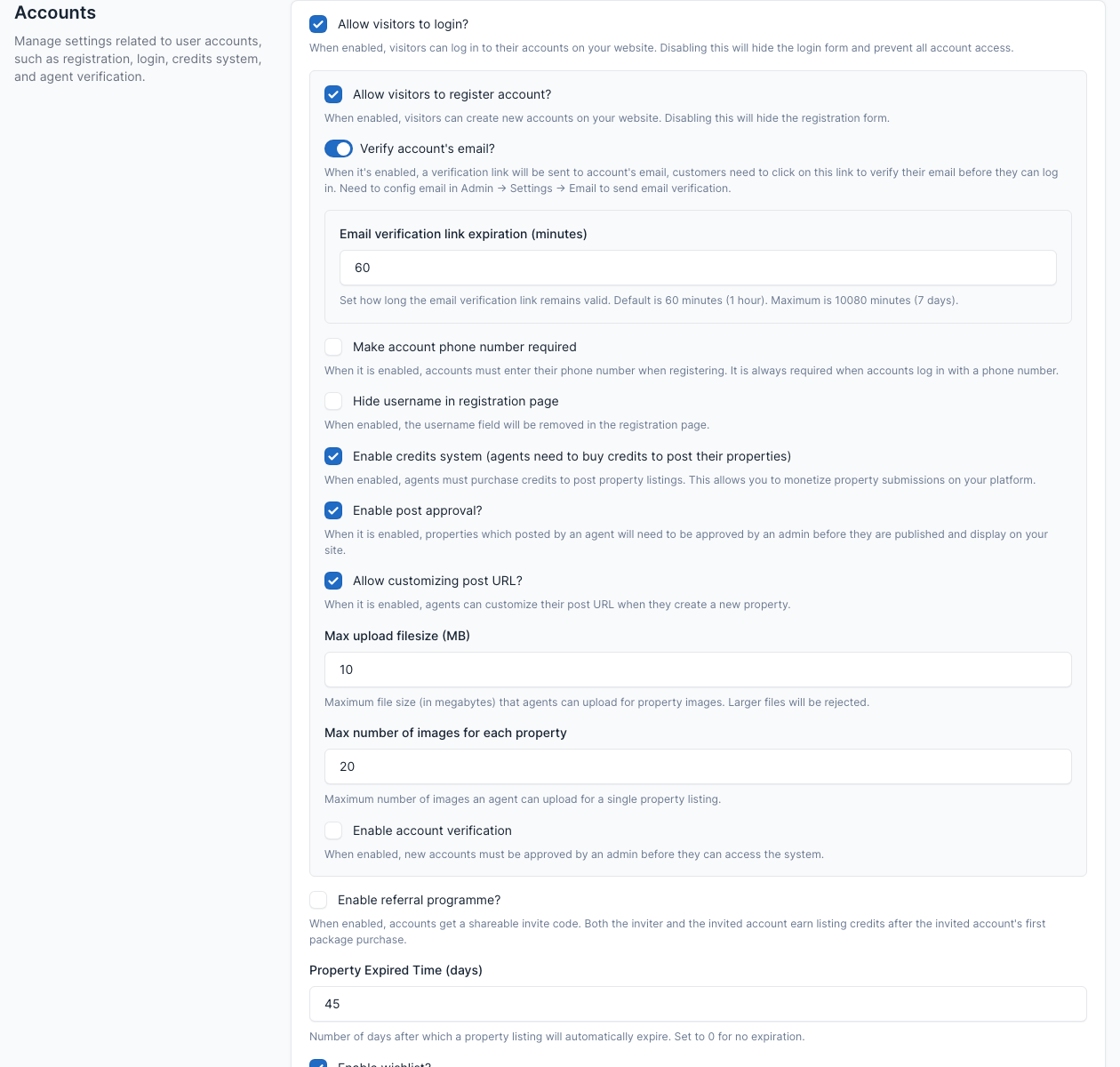
| Setting | What it does |
|---|---|
| Allow visitors to login? / to register account? | Turn the login and the sign-up forms on or off. |
| Verify account's email? | Sends a verification link. Set up the email first in Config. |
| Make account phone number required, Hide username in registration page | Registration form options. |
| Enable credits system | Agents need credits to post properties. See Agents, Packages and Credits. |
| Enable post approval? | New properties wait for your approval. |
| Allow customizing post URL? | Agents can edit the permalink of their property. |
| Max upload filesize (MB), Max number of images for each property | Limits for the pictures an agent uploads. |
| Enable account verification | New accounts need your approval before they can use the site. |
| Enable referral programme? | Invite codes that give credits to both sides after a first package purchase (the reward fields appear when it is on). |
| Property Expired Time (days) | After how many days a listing expires (0 for never). |
| Enable wishlist? | Visitors can save properties (they must sign in). |
| Hide agency's phone number / email address, Hide agent info in the property detail page | What visitors see about the agent. |
| Send inquiries to admin only? | Inquiries go to the admin, not to the agent. |
| Disable public profile? | Turns off the public agent pages. |
| Default avatar | The picture used when an agent has none. |
Invoice
Tab Invoice.
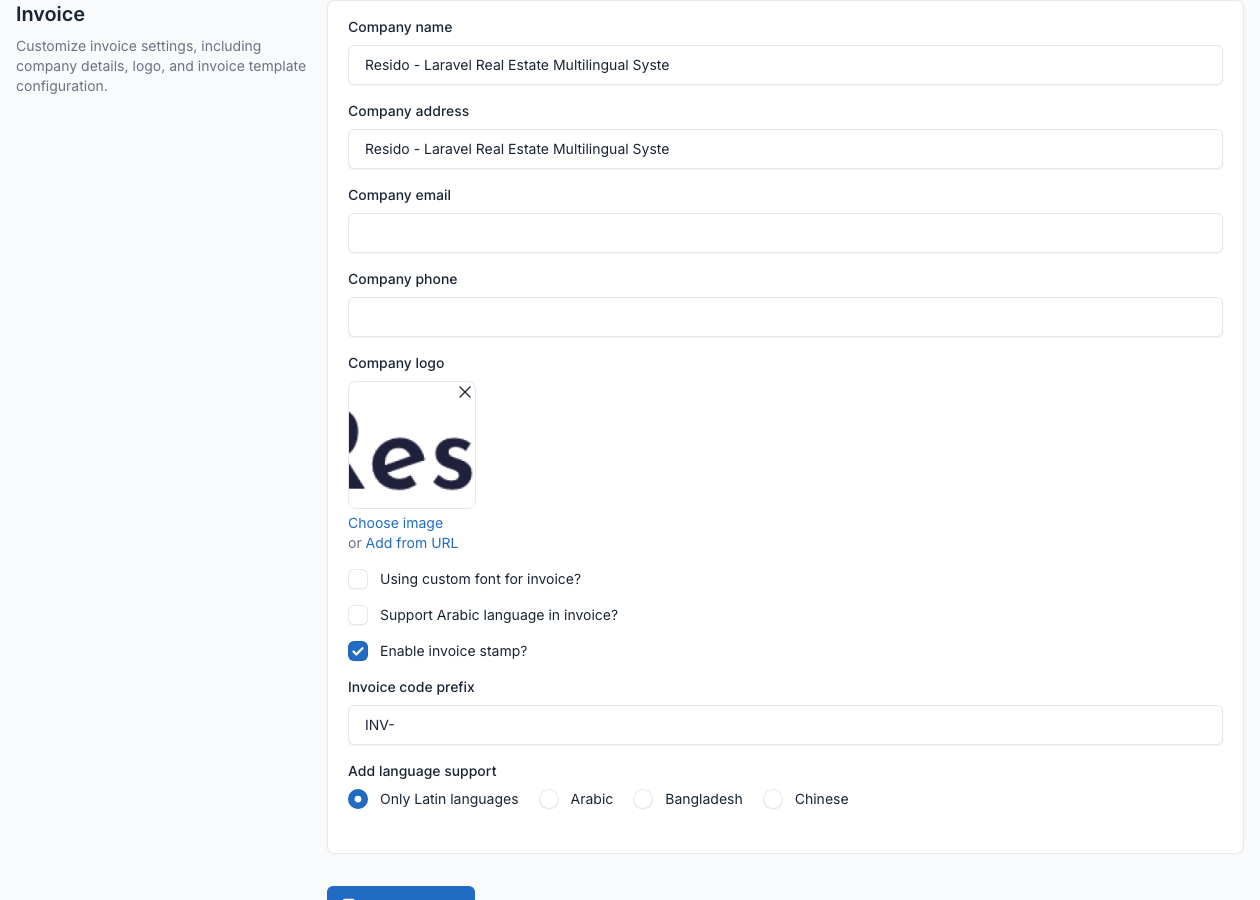
The company name, address, email, phone and logo printed on the invoices, the invoice code prefix and the font options (for example Arabic or Chinese support).
Invoice Template
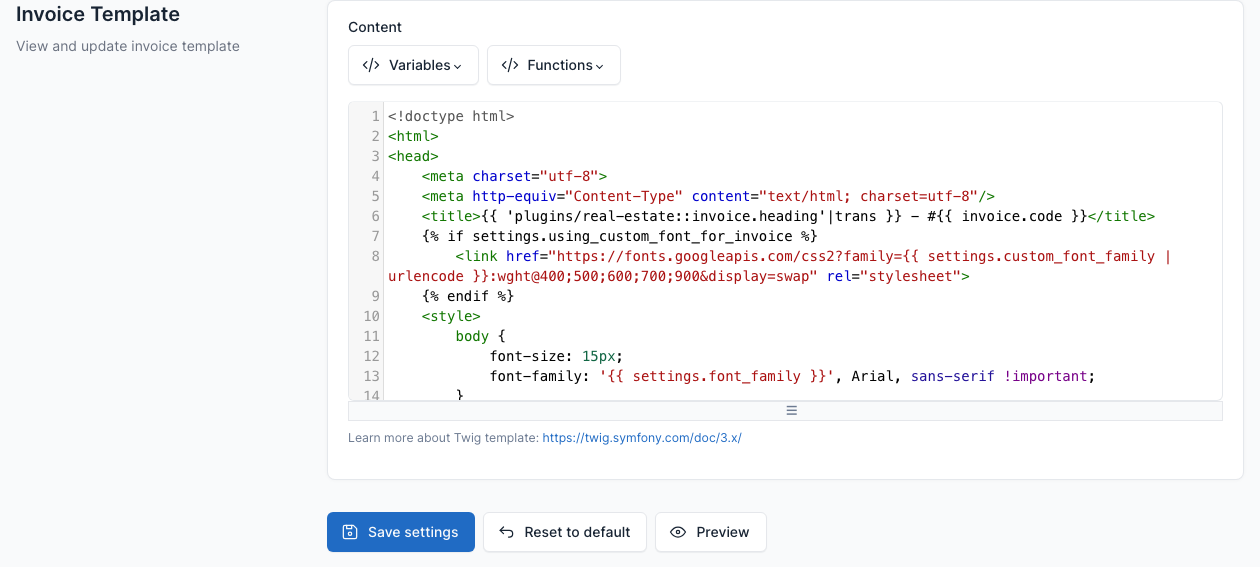
Tab Invoice Template.
The invoice is built from a Twig template written in HTML, with variables for the data. Edit it in the editor, click Preview to see it, and Reset to default to undo your changes.
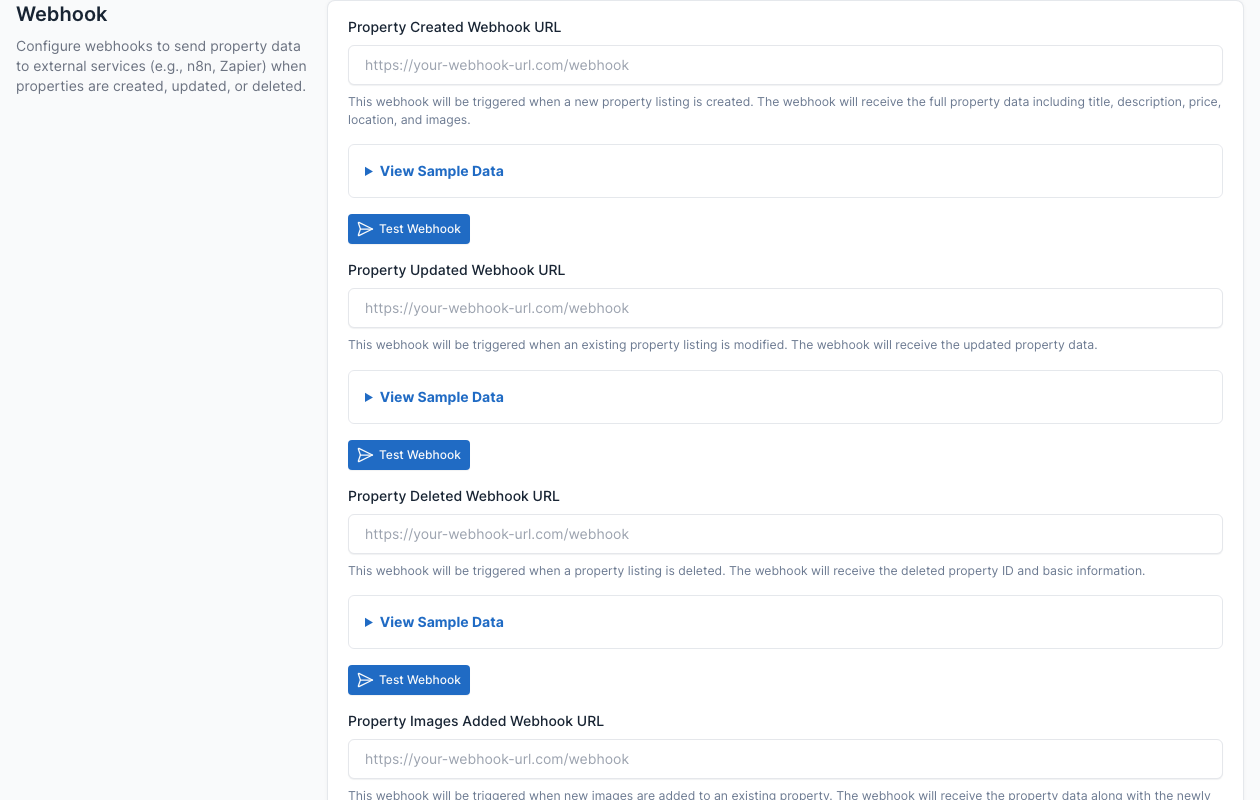
Webhook
Tab Webhook.
Send the property data to another service (for example n8n or Zapier) when a property is created, updated, deleted or gets new images. Enter one URL per event, use View Sample Data to see the payload and Test Webhook to try it.