Insert/Import video into the post
Sarsa has video posts: a post with the Video format shows a play button on its picture, and opens the video in a pop-up.
Make a video post
Go to Admin -> Blog -> Posts and edit (or create) a post.
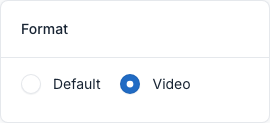
- In the Format box on the right, choose Video.
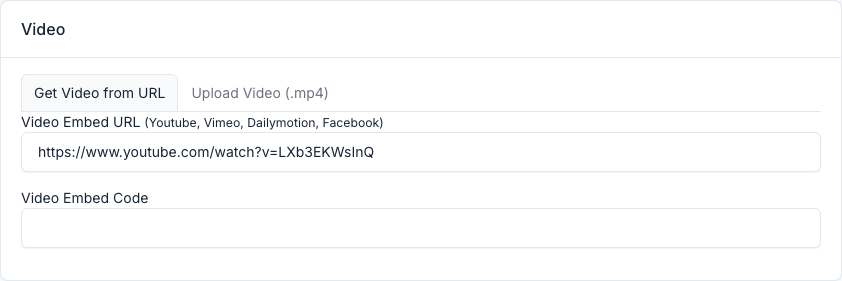
- In the Video box below the content, paste the link of the video in Video Embed URL (a YouTube or Vimeo link, for example). Sarsa plays this link. The Video Embed Code field and the Upload Video (.mp4) tab are stored with the post but the theme does not use them.
On the front end the post picture gets a play button, and the video opens when you click it. Video posts also show the play button in the post lists of the home layouts.

Embed a video in the content
You can also embed videos from YouTube,Vimeo inside the text of any post or page.
Firstly, you will need to find the embed code for your video. We provide instructions for the most popular video vendors such as YouTube,Vimeo. If you need assistance finding the embed code for another video vendor, contact them directly for assistance.
Finding the embed code on YouTube
- Go to YouTube.
- Navigate to the video you wish to embed.
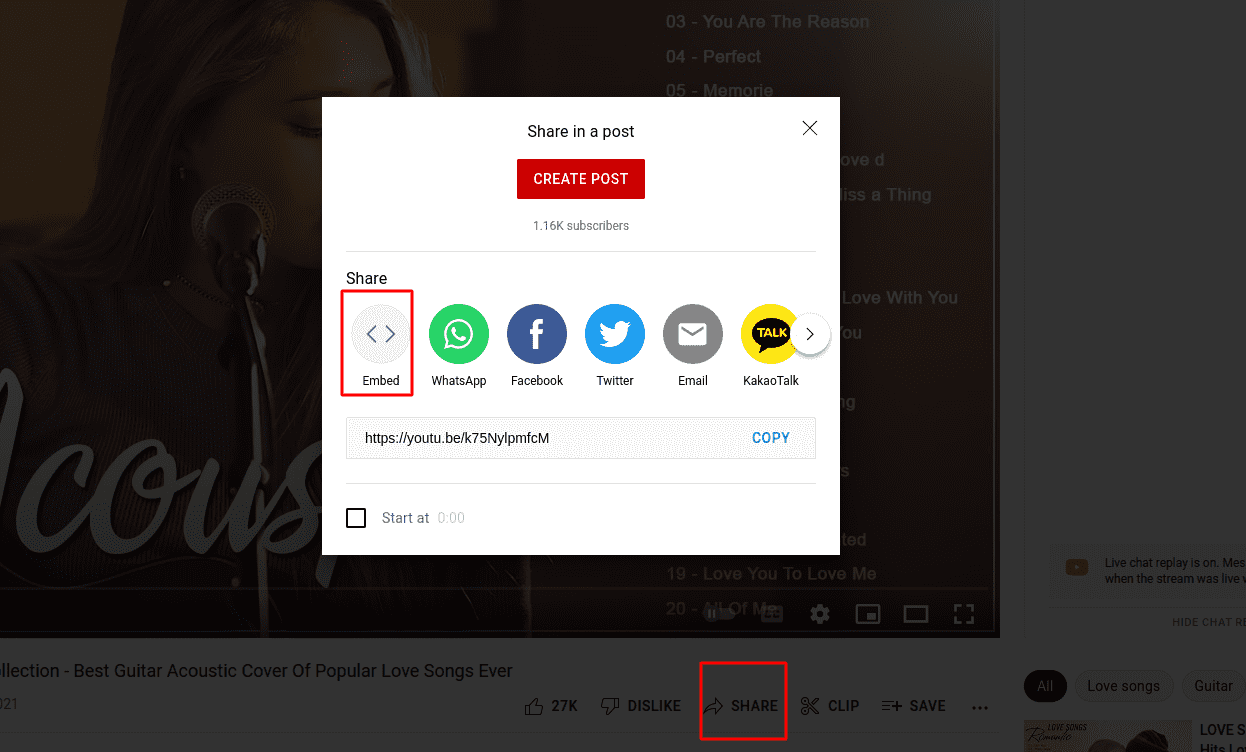
- Click the
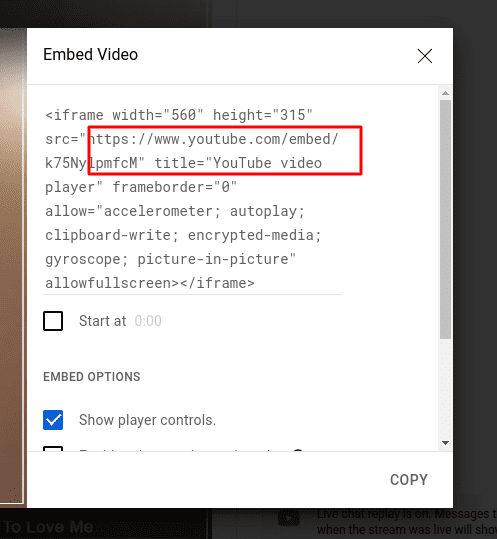
Sharelink below the video, then click theEmbedlink. - The embed link will be highlighted in blue. You will need to copy this link in order to add it to your page.
Finding the embedded code on Vimeo:
- Go to Vimeo.
- Navigate to the video you wish to embed.
- Click the Share button, in the top right corner of your video.
- A pop-up will appear with the embed link information. You will need to copy only the
<iframe>portion of the embed link in order to add it to your page.
Example:
Entire embed link shows the following:
<iframe src="https://player.vimeo.com/video/1233456789" width="640" height="360" frameborder="0" allow="autoplay; fullscreen" allowfullscreen></iframe><p><a href="https://vimeo.com/1233456789">1- Automation Opening[2]</a> from <a href="https://vimeo.com/user98765432">R1 Marketing</a> on <a href="https://vimeo.com">Vimeo</a>.</p>;
You only want to copy the <iframe> portion:
<iframe src="https://player.vimeo.com/video/1233456789" width="640" height="360" frameborder="0" allow="autoplay; fullscreen" allowfullscreen></iframe>