Footer
Overview
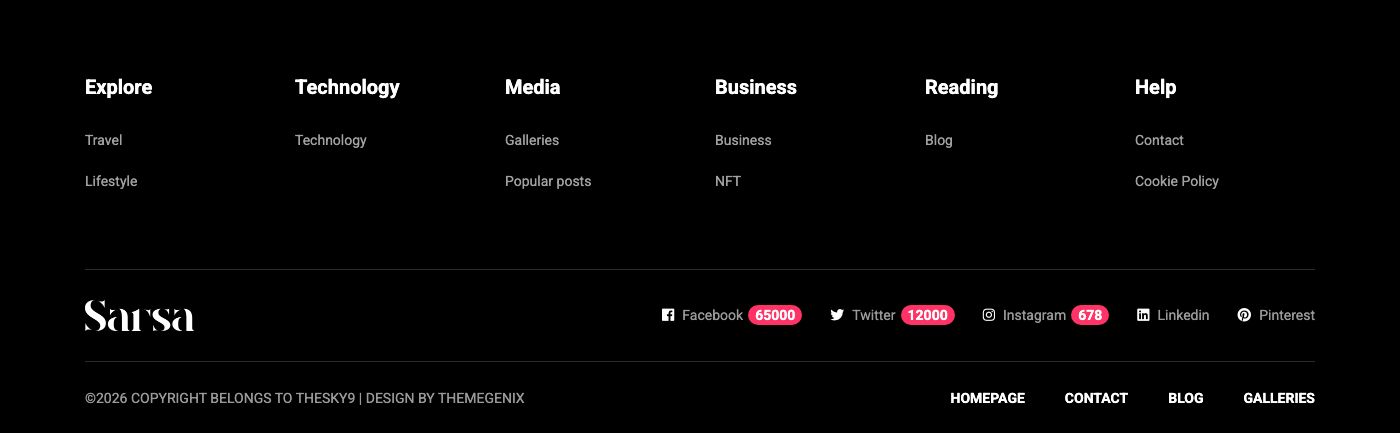
The footer has three rows: the menu columns, the logo with the social links, and the copyright line with a small menu.
Some home layouts use another footer style. Home Travel and Home NFT show a light footer without the menu columns (Home NFT also puts the newsletter box inside it).

Menu columns and copyright menu
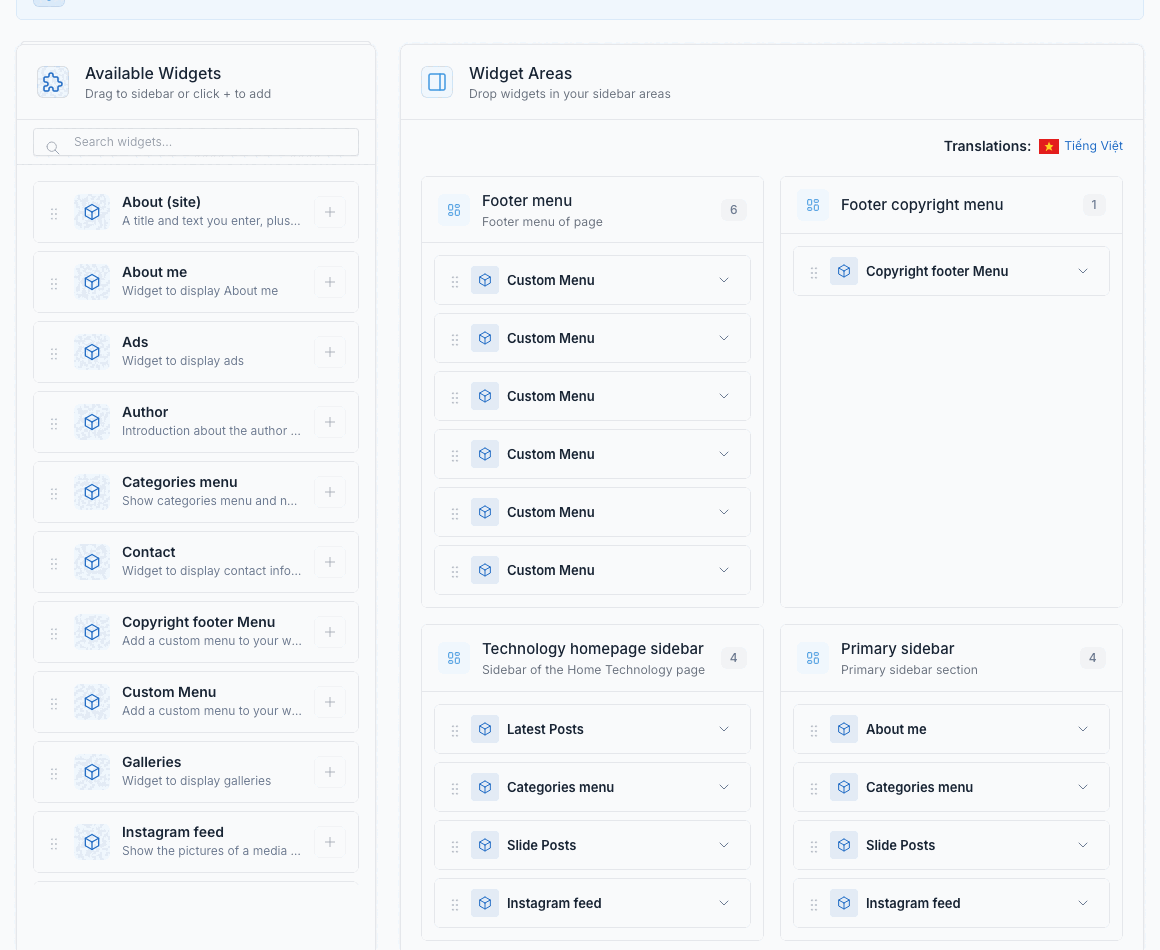
Go to Admin -> Appearance -> Widgets.
- Footer menu is the area of the columns. Each column is a Custom Menu widget: its title is the column title and it shows one menu. Drag a widget to reorder the columns, open it to change the title or the menu, and add a new Custom Menu widget for a new column. A row fits 6 columns.
- Footer copyright menu is the small menu on the right of the copyright line. It holds a Copyright footer Menu widget that shows one menu.
The menus themselves are edited in Admin -> Appearance -> Menus. See Menu.
Copyright and social links
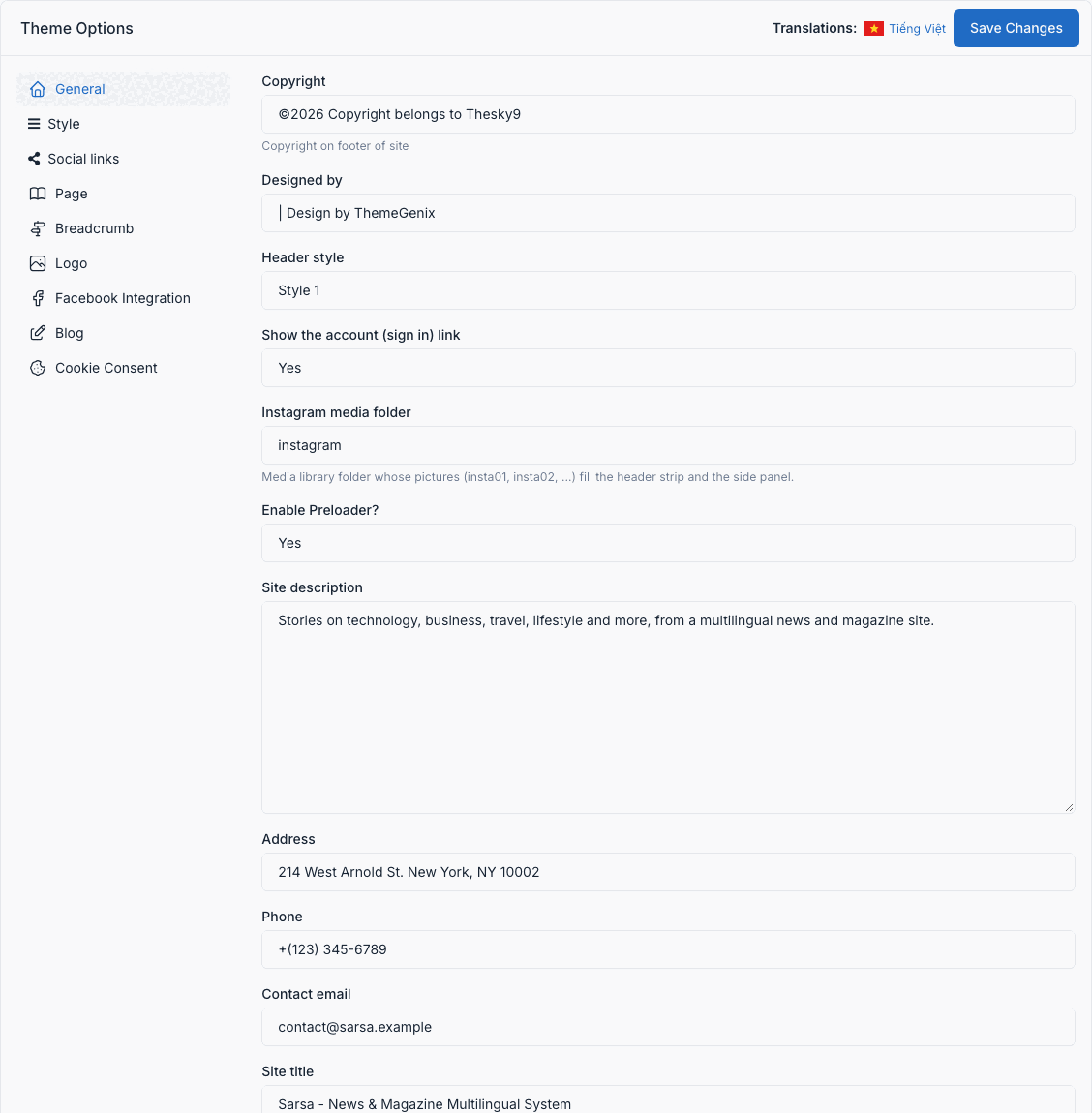
Go to Admin -> Appearance -> Theme Options.
- Tab General: edit Copyright and Designed by (the text on the left of the copyright line).
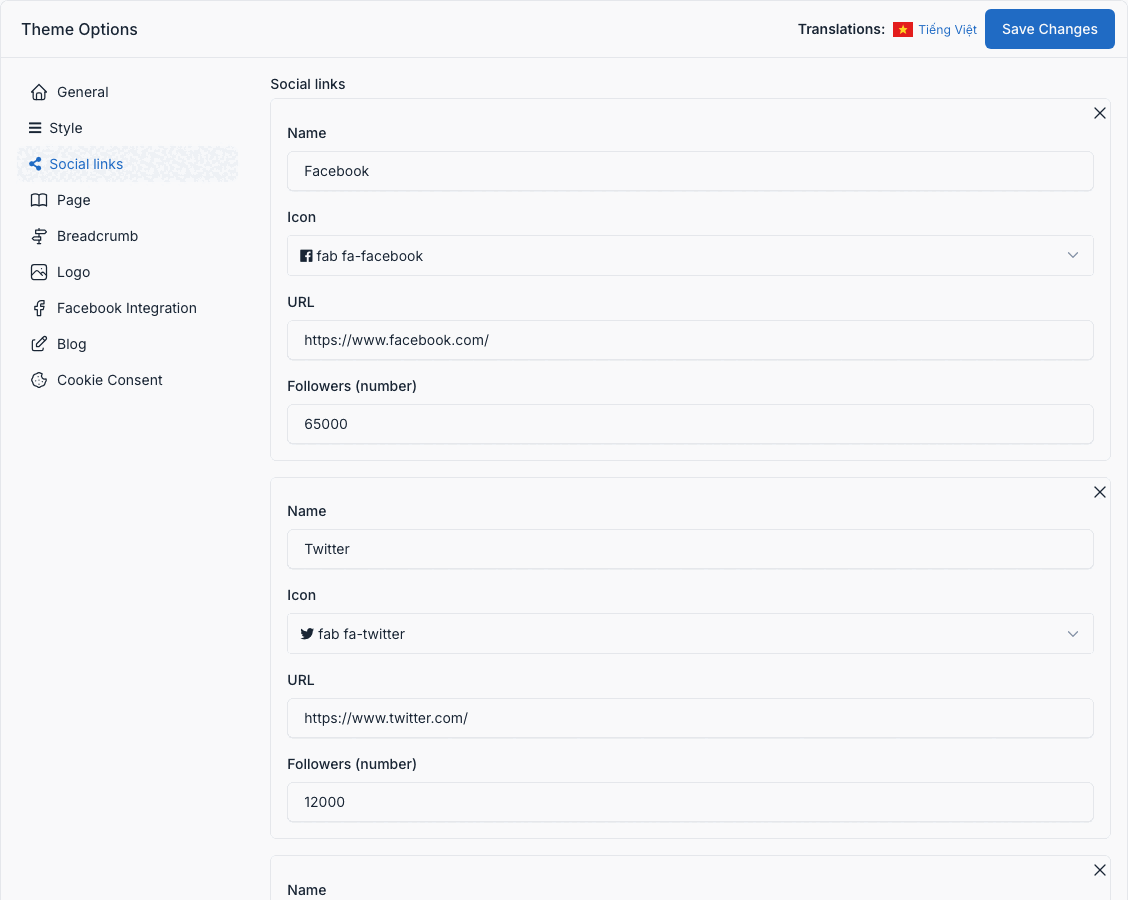
- Tab Social links: add one row per network (name, icon, URL). The links are shown next to the logo in the footer, and in the top bar and the side panel too.